
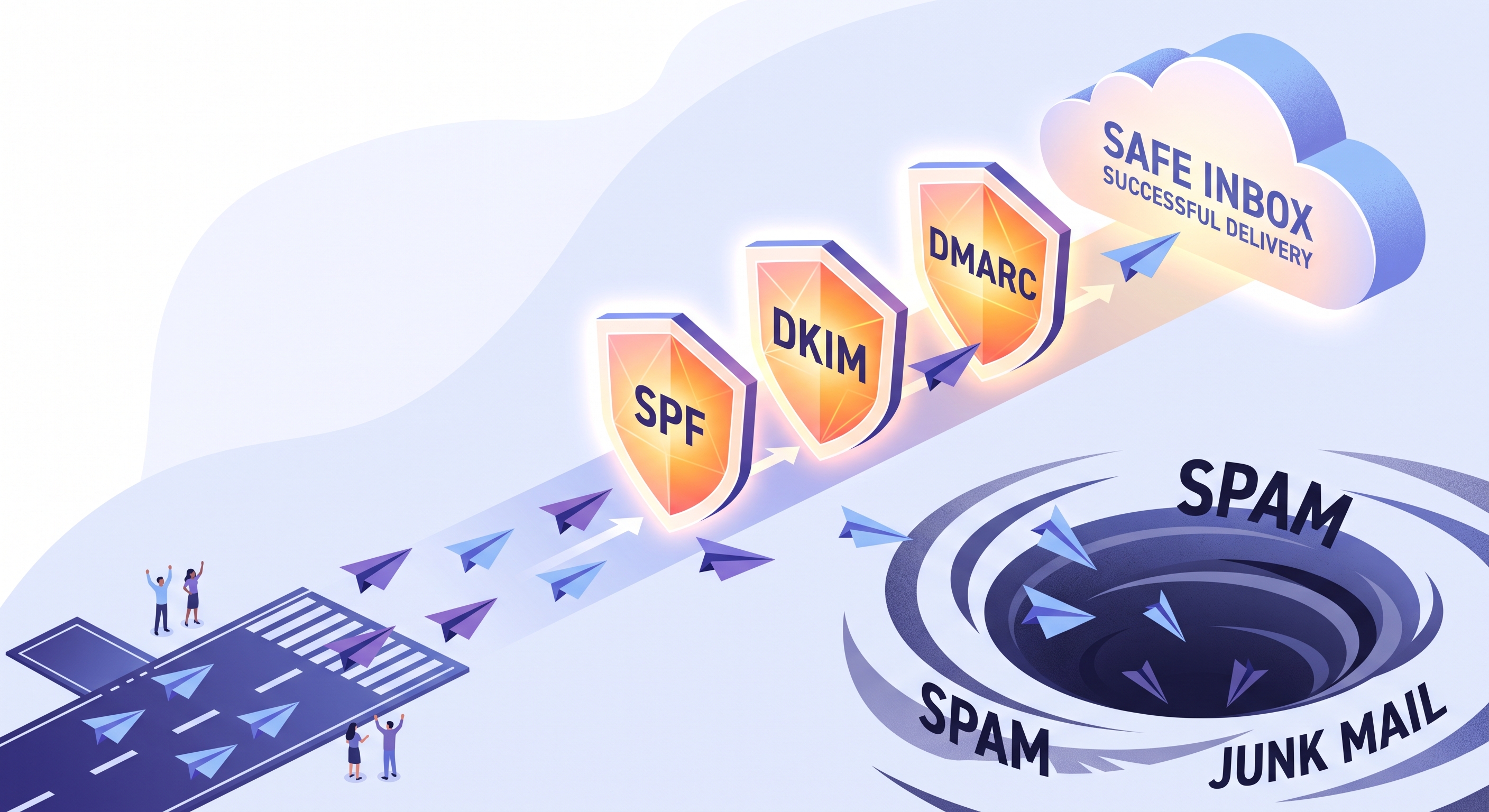
Marketing emails go to spam when mail servers detect missing DNS records, low engagement, or poor sending habits. You can fix deliverability by authenticating SPF, DKIM, and DMARC, removing inactive subscribers from your database, and separating critical transactional streams from promotional broadcasts.
You spend hours preparing a weekend campaign, send it to your list, and watch the open rates flatline. Inquiries about missing discount codes start trickling into support instead of orders.
Marketing emails land in spam when receiving mail servers do not trust your technical records, your domain reputation, or your sending habits. Fixing this requires aligning three DNS settings and cleaning your audience list.
When mailbox providers see unverified senders or sudden volume spikes, they protect the inbox by diverting the message immediately. Inbox placement is an infrastructure check before it ever becomes a content issue.
By the end of this guide, you will know how to protect your domain and reach your customers reliably:
- Verify your DNS records: configure SPF, DKIM, and DMARC without relying on outside technical consultants.
- Protect sending reputation: eliminate silent spam placement caused by inactive contacts and sudden volume spikes.
- Audit campaign deliverability: apply an operational checklist before sending any bulk promotional message.
What Triggers the Spam Filter Before Anyone Opens It
Email providers decide your fate before a recipient ever sees your subject line. Algorithms filter your campaigns based on domain trust and sending behavior, not just the text in your message.
Mailbox providers like Gmail and Outlook evaluate every incoming blast through two gatekeepers. Understanding how these filters work prevents your routine announcements from disappearing into the junk folder.
The Two Automated Gatekeepers
- Domain authentication: SPF, DKIM and DMARC prove you actually own your sending address.
- IP reputation: Mail servers track how many recipients flagged your previous messages as junk.
- List quality signals: Invalid addresses and hard bounces immediately lower your sender score.
- Subscriber behavior: Unopened messages deleted in bulk tell algorithms your content lacks value.
When you send an order update or a seasonal campaign, inbox algorithms inspect your technical record first. A high bounce rate from outdated lists signals that you buy contacts or fail to clean your database.
Shared sending servers create an invisible hazard for small teams. If another company on your shared IP sends sloppy promotions, their spam complaints drag down your delivery rates as well.
Clean contact lists and proper authentication protect your reach. Inside EosDo, built-in deliverability tooling and dedicated sender settings ensure your domain establishes direct trust with major email providers.
The Email Security Trio: SPF, DKIM, and DMARC Explained
Your marketing campaigns land in spam when mailbox providers cannot verify who actually sent them. Email authentication records act as digital identity checks that prove your domain belongs to you.
Without these records, anyone can impersonate your brand to send fake invoices or order updates. Inbox providers protect their users by filtering unverified messages straight into the junk folder.
How the Core Records Protect Your Reputation
| Record | Real-World Role | What Mailbox Providers Check |
|---|---|---|
| SPF | The guest list | Verifies if the sending server IP address appears on your domain's approved list. |
| DKIM | The wax seal | Uses cryptographic keys to confirm the content arrived untampered during transit. |
| DMARC | The rulebook | Tells receiving servers whether to monitor, quarantine, or reject failing messages. |
Setting up SPF and DKIM validates your identity, but DMARC gives you ultimate control over your domain name. It ensures that unauthorized senders cannot damage your deliverability score.
With EosDo, these DNS records configure directly when you connect your sending domain. Proper authentication keeps your campaign updates and transactional receipts out of spam folders reliably.
Why Domain Reputation Quietly Destroys Inbox Placement
Mailbox providers track your sending habits daily and score your domain silently. That internal score decides if your campaign reaches the inbox or sinks into junk.
List health dictates that score more than your copy does. When you send messages to contacts who never asked for them, automated algorithms flag your server immediately.
List Habits and Their Direct Impact
| Sending Practice | Direct Result | Reputation Impact |
|---|---|---|
| Purchased contact lists | Hard bounces and spam traps | Immediate domain blacklisting |
| Hidden opt-out links | Manual spam complaints | Inbox placement drops permanently |
| Sudden volume spikes | Triggered anti-abuse filters | Temporary email throttling |
Scraped addresses often contain dormant accounts converted into active spam traps. Hitting even one trap tells providers like Gmail that you do not verify your audience.
Frustrated recipients also create severe damage. If a customer cannot find your unsubscribe button, they click the spam button instead.
- Stale contact data: old addresses yield hard bounces that ruin sender trust.
- Forced subscriptions: hiding opt-outs drives readers straight to the complaint button.
- Abrupt bulk sends: jumping from fifty to thousands of emails alarms filters.
New domains require a gradual warm-up schedule over several weeks. EosDo includes automated senders and deliverability tools that regulate outgoing speed, protecting your reputation from accidental spikes.
How Infrastructure and Content Work Together for Delivery
Clean authentication alone will not save an email built like spam. Inbox providers inspect both your template design and the pipelines carrying your message before placing it.
Maintain a balanced text-to- Clean deliverability requires matching disciplined message design with isolated sending routes. Even valid DNS records cannot protect an email that looks like an aggressive promotion to inbound mail filters. Filters evaluate the visual balance and technical health of your message before placing it. An image-heavy layout with minimal live text raises immediate red flags. Never send marketing campaigns through the exact same channel as critical operational messages. When a seasonal newsletter draws spam complaints, it damages your shared reputation immediately. A customer waiting for an OTP or an order confirmation cannot afford a delayed inbox arrival. Isolating your marketing volume ensures a sudden bounce spike never blocks vital receipts. Modern platforms remove the manual burden of this technical separation. EosDo Email Service isolates your transactional traffic on dedicated paths while managing DKIM keys and monitoring bounce rates directly from your dashboard. Restoring broken inbox placement requires fixing your authentication, cutting dead weight from your list, and slowly regaining mailbox trust. You can complete this recovery by following three clear operational steps. Clean data protects your sender score before a message ever leaves the outbox. Mailbox providers flag accounts that repeatedly target abandoned addresses or unmonitored mailboxes with routine price questions and order updates. Once your list is clean, cap daily sends to keep volumes predictable. You can automate these segmented sends and suppression rules directly inside EosDo to ensure only engaged subscribers receive your bulk campaigns. Fixing deliverability begins with your current list, not a new campaign. You do not need to rebuild your marketing strategy to see immediate results. Take three concrete steps before you schedule your next broadcast: Clean habits matter more than design tweaks. EosDo monitors these health signals automatically, so your critical updates reach the inbox without manual guesswork.How Infrastructure and Content Work Together for Delivery
Separate Promotional and Essential Streams
Message Type
Primary Goal
Delivery Risk
Transactional
Instant delivery for OTPs and receipts
Critical if delayed
Marketing
Audience reach for sales campaigns
Higher spam exposure
Step-by-Step Checklist to Restore Your Inbox Placement
Executing the Recovery
A smaller list of active readers always reaches the inbox faster than a massive list full of inactive addresses.
Where to Start Fixing Your Delivery Today
Frequently Asked Questions
How long does it take to repair a damaged domain reputation?
Rebuilding domain trust typically takes two to four weeks of consistent, disciplined sending. Mailbox algorithms require time to observe low bounce rates, high engagement from active subscribers, and zero spam complaints before restoring standard inbox placement.
Should I create a separate subdomain for marketing broadcasts?
Yes, routing promotional campaigns through a subdomain like news.domain.com protects your primary domain. This isolation ensures that marketing spam complaints never disrupt the immediate delivery of critical business emails like password resets or order confirmations.
What is an acceptable bounce rate for small business campaigns?
Keep your bounce rate strictly under 2% to protect sender reputation. Anything approaching or exceeding 5% triggers immediate scrutiny from major mailbox providers, leading to automated throttling or routing entire campaigns directly to junk folders.
Will using a dedicated IP address fix deliverability issues immediately?
No, a new dedicated IP starts with no established reputation and requires careful gradual warming over several weeks. If your list hygiene and DNS authentication remain flawed, a dedicated IP will quickly suffer the same spam placement issues as a shared one.
Related Posts
How to Send Corporate Emails From Your Own Domain
Setting up a corporate email on your own domain requires configuring MX, SPF, DKIM, and DMARC records to protect your brand reputa...
How to Route WhatsApp Chats to Multiple Staff Members
Routing WhatsApp chats to multiple staff members requires connecting your official business number to a shared team inbox. This el...
How to Handle Customer Complaints on WhatsApp Professionally
Handling customer complaints on WhatsApp requires instant acknowledgment, clear response expectations, and a structured 4-step de-...

