
Setting up a corporate email on your own domain requires configuring MX, SPF, DKIM, and DMARC records to protect your brand reputation and bypass spam filters. Proper DNS configuration ensures your professional customer communications reach inboxes consistently.
When a customer receives a price inquiry from [email protected] instead of a free webmail address, they trust your business immediately.
Setting up professional corporate email on your own domain requires configuring three core DNS records: MX, SPF, and DKIM.
- Verify domain ownership: Prove to mail providers that you own your domain name safely.
- Protect your reputation: Prevent your business messages from landing in the spam folder.
- Configure secure DNS: Set up proper MX, SPF, and DKIM records without technical confusion.
- Manage communication centrally: Handle your custom domain emails alongside live chat and WhatsApp in one panel.
What Is a Custom Domain Corporate Email
A custom domain corporate email uses your exact company web address after the @ symbol instead of a generic provider name.
Sending messages from [email protected] tells customers you run a permanent, registered business. Free accounts signal a hobby or a temporary operation, which makes partners hesitate before signing invoices or sharing sensitive details.
Centralized ownership ensures your business retains all historical communications if an employee leaves your team.
- Instant legitimacy: Customers trust branded addresses over personal inboxes when asking questions like "kargom nerede" or requesting a refund.
- Data security: Company history stays inside the organizational panel instead of walking out the door on a personal device.
- Unified routing: Every inbound request from WhatsApp, live chat, and your email inbox can land in one shared workspace like EosDo to keep your team aligned.
Free providers work well for personal notes, but growing teams need total control over their communication channels. Owning your infrastructure protects your brand reputation as your daily message volume grows past ordinary limits.
Why Deliverability and Reputation Matter
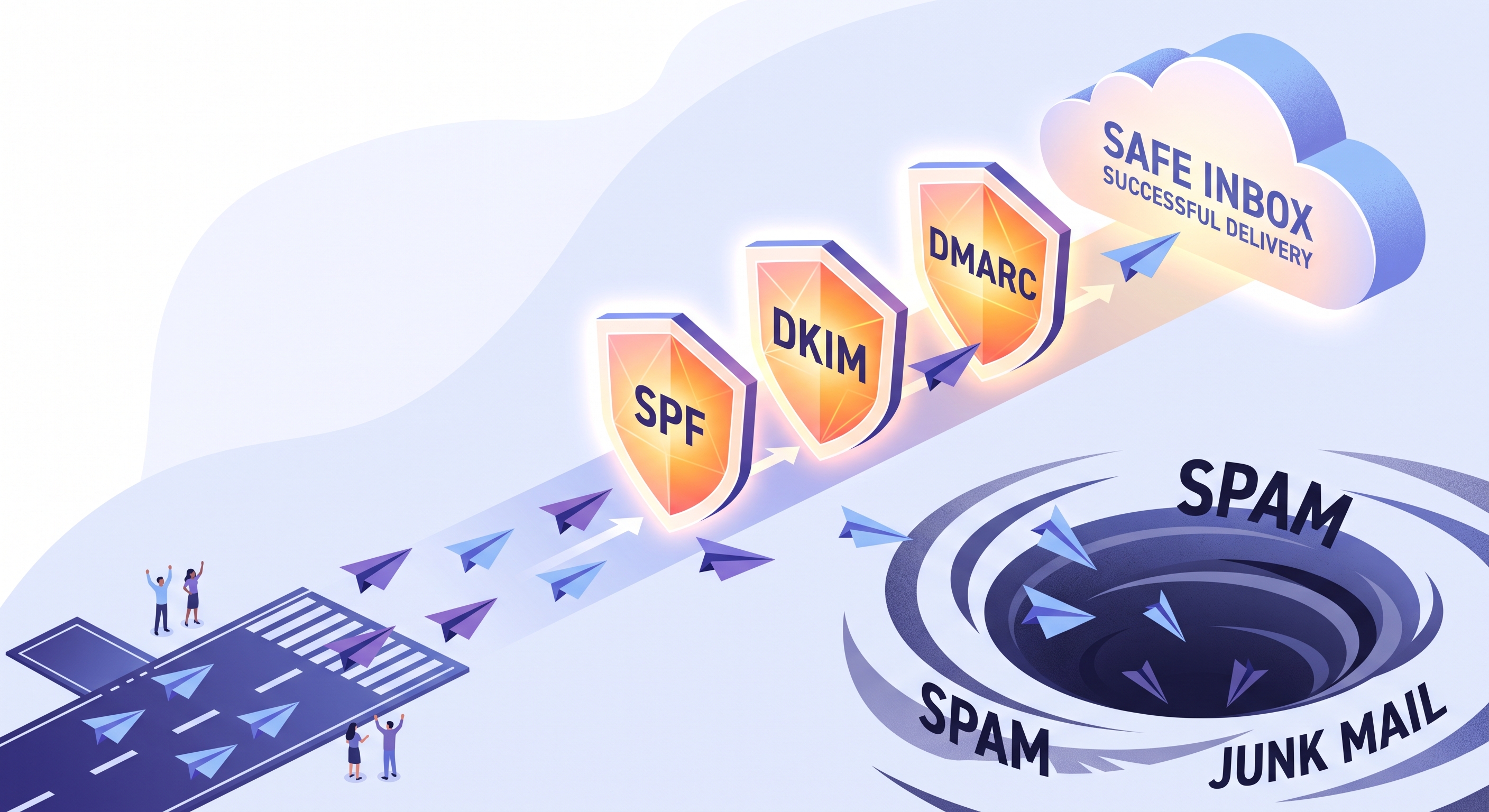
Proper authentication ensures your emails bypass spam filters and reach the customer inbox consistently.
Major email providers aggressively filter messages sent from unverified domains straight to the spam folder. When a message lacks technical validation, receiving servers view it as an untrusted risk.
- Spam folder placement: Unauthenticated emails land out of sight.
- Blocked communication: Important notifications fail to reach clients.
- Lost trust: Customers miss urgent price queries or delivery updates.
Your domain builds a sender reputation over time based on user engagement and bounce rates. Positive actions like prompt replies improve your score while frequent bounces damage your standing.
A poor sender reputation takes months of careful management to repair.
Proper authentication also protects your brand identity from malicious spoofing attempts. Setting up standard security protocols prevents unauthorized parties from sending fraudulent messages using your business name.
The Essential DNS Records for Setup
Authenticating your sending domain requires adding four specific DNS records to your domain registrar panel.
- MX records: Route incoming messages to your email hosting provider's mail servers.
- SPF records: List the exact mail servers authorized to send messages for your domain.
- DKIM records: Attach a cryptographic signature to verify message integrity during transit.
- DMARC records: Define security policies for handling messages that fail SPF or DKIM checks.
Every small business needs these records configured correctly to prevent emails about a "kargom nerede" request or an iade talebi from landing in spam folders.
Proper DNS configuration protects your domain reputation and ensures customers receive every transactional notice on time.
Common Pitfalls and Mistakes to Avoid
Small configuration errors can break your corporate email delivery and security overnight.
- Typing DNS records: One missing character in your TXT or MX entries stops all incoming and outgoing messages instantly.
- Skipping DMARC setup: Leaving out this record exposes your brand to domain impersonation and phishing complaints.
- Ignoring blacklists: Failing to monitor your sending reputation can silently stall your customer communication channels.
Always double-check every DNS string before saving changes to your domain registrar.
Streamlining Setup With Integrated Platforms
Unified platforms provide guided setup wizards to handle complex DNS verification steps seamlessly.
Technical records often confuse growing teams during manual setup. A visual walkthrough cuts configuration errors in half.
- Guided wizards: Clear prompts walk you through each DNS entry without guesswork.
- Instant checks: Automated tools verify your records immediately after you save them.
- Error alerts: Clear warnings flag mistyped tokens before your domain gets blocked.
EosDo combines secure corporate email hosting with built-in deliverability tooling and automated templates.
You manage your custom domain setup while keeping messages out of the spam folder. Standard templates handle routine replies for order updates or return requests.
Centralizing your mailing infrastructure keeps communication history linked directly to your customer records.
Your team stops jumping between separate tools when a customer asks about a delayed shipment. Every past message sits right inside the shared panel next to active orders.
Taking the Next Step With Your Corporate Email
Setting up your custom domain email takes less than an hour and protects your daily customer communication.
- Log in: Open your domain registrar panel where you purchased your web address.
- Add records: Paste your MX, SPF, DKIM, and DMARC entries into the DNS management screen.
- Verify setup: Send a test message to an external inbox to confirm proper delivery.
Once your domain is active, you can manage all customer messages alongside your WhatsApp and live chat in EosDo.
Frequently Asked Questions
How long does it take for DNS changes to propagate after setting up a custom domain email?
DNS propagation typically takes anywhere from a few minutes up to 24 hours globally. During this window, some receiving servers may still route messages to your old setup or fail until the new MX, SPF, and DKIM records fully update across all global name servers.
What should I do if my corporate emails still land in the spam folder despite correct records?
If your authentication records are correct, check your sending IP or domain reputation against major blacklists. Ensure your mailing volume didn't spike suddenly, your content avoids spam trigger words, and your recipients are actively engaging with your messages.
Can I use the same domain for both my website hosting and my corporate email service?
Yes, you can use the same domain. Your website traffic is directed using A and CNAME records, while your incoming mail uses MX records and your security uses TXT records for SPF and DKIM, meaning they operate independently on the same domain.
Related Posts
Why Marketing Emails Land in Spam and How to Fix It
Marketing emails go to spam when mail servers detect missing DNS records, low engagement, or poor sending habits. You can fix deli...
How to Route WhatsApp Chats to Multiple Staff Members
Routing WhatsApp chats to multiple staff members requires connecting your official business number to a shared team inbox. This el...
How to Handle Customer Complaints on WhatsApp Professionally
Handling customer complaints on WhatsApp requires instant acknowledgment, clear response expectations, and a structured 4-step de-...

