
Sending automated invoice emails on your custom domain builds brand trust and prevents delivery failures. Learn how to configure SPF, DKIM, and DMARC records to secure your transactional billing documents.
Your customer finishes a purchase on your website, but the order confirmation arrives from a random Gmail or generic hosting address instead of your brand name.
Sending automated invoice emails on your custom domain means every billing document arrives directly from your own web address, instantly building professional trust.
- Verify domain ownership to protect your brand against spam filters and spoofing attempts.
- Configure DNS records like SPF, DKIM, and DMARC so mailbox providers trust your automated messages.
- Connect your invoicing workflow to trigger emails instantly when a payment clears or an order ships.
What Are Custom Domain Invoice Emails?
A custom domain invoice email uses your company address like billing at yourcompany.com instead of a generic webmail extension.
These automated transactional messages trigger immediately after a purchase or subscription renewal.
They serve as official financial records while reinforcing professional brand legitimacy with every single transaction.
- Marka guvenilirligi: Musteriler kurumsal uzantili faturalari daha fazla ciddiye alir.
- Resmi kayit: Mali surecler icin duzenli ve yasal bir belge sunar.
- Otomatik tetikleme: Odeme onaylandigi anda insan mudahalesi olmadan gonderilir.
Kisisellestirilmis fatura gonderimi, musteri iliskilerinde ilk izlenimi guclendirir ve kurumsal kimliginizi korur.
Why Generic Billing Addresses Hurt Trust
Sending invoices from generic email accounts immediately lowers customer trust and spikes your delivery failure rates.
- Spam filter triggers: Unverified addresses frequently land in the spam folder because major email providers cannot verify the sender identity.
- Rising phishing fears: Customers hesitate to open or pay billing documents that lack clear domain authenticity due to widespread online fraud.
- Brand reputation protection: Using your own verified domain ensures clients instantly recognize official financial communications without second-guessing.
Fixing this baseline issue keeps your cash flow moving and prevents legitimate payment receipts from getting lost in junk folders.
Technical Requirements for Custom Sending
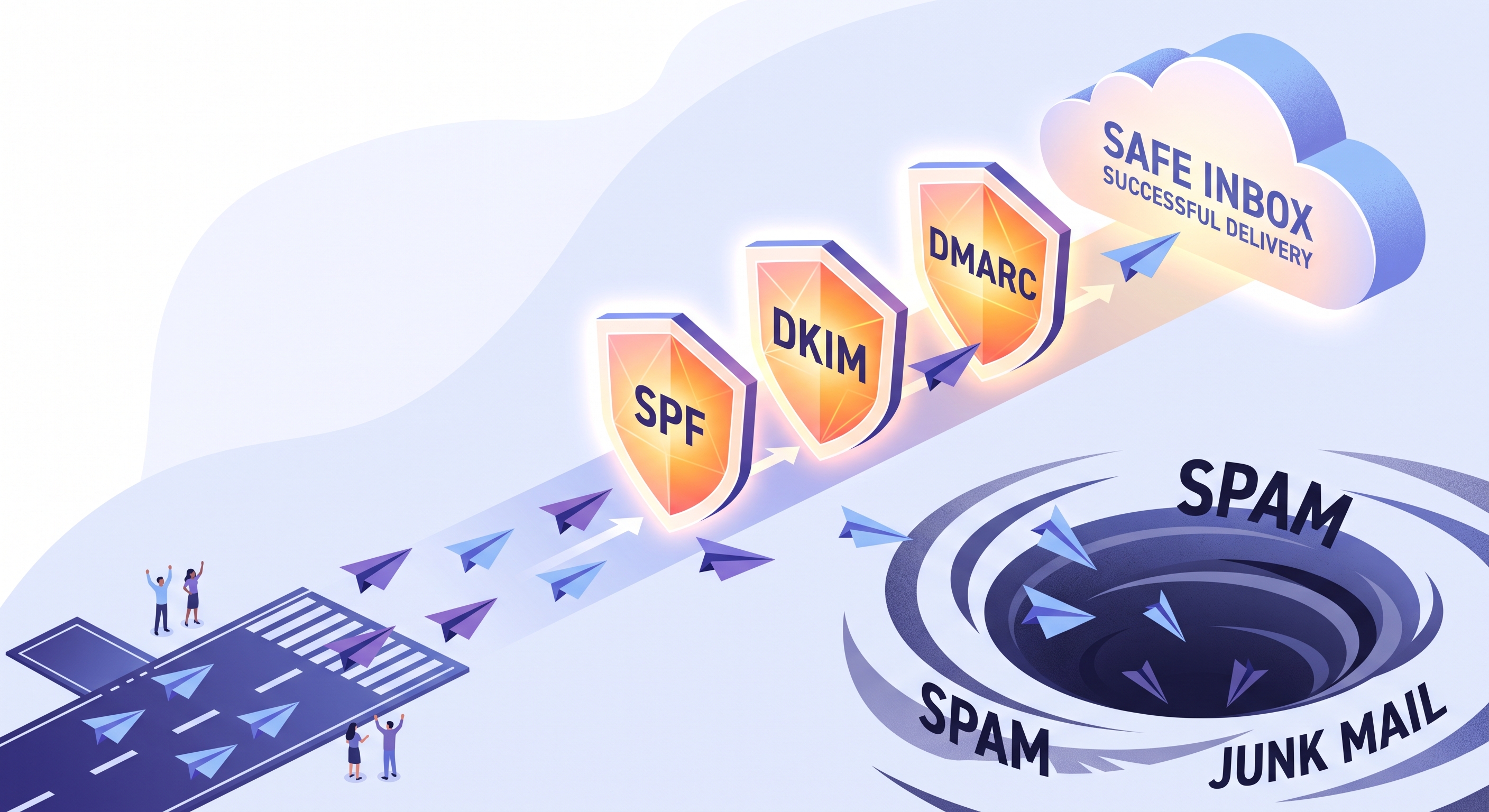
Proper authentication protocols ensure your custom domain billing emails reach customer inboxes instead of spam folders.
- SPF records: Authorize your chosen email infrastructure to send messages on behalf of your specific domain name.
- DKIM signatures: Add a cryptographic digital seal to verify invoice emails remain authentic and unaltered during transit.
- DMARC policies: Protect your brand against domain spoofing and instruct receiving servers on handling unauthorized messages.
Configuring these three records builds essential sender reputation for your business transactions.
How to Set Up Your Domain Invoice Workflow
Connecting your custom domain and automating secure invoice delivery requires three practical implementation steps.
- DNS record setup: Access your domain management panel and add the required authentication records to verify ownership.
- Infrastructure connection: Link your billing platform to a dedicated transactional email infrastructure configured for your specific domain.
- Template configuration: Upload your invoice layouts, set trigger events, and run test deliveries to ensure proper inbox placement.
Following these steps prevents messages from landing in spam folders and keeps your financial communication professional. Regular testing ensures that automated triggers fire correctly whenever a customer completes a purchase.
Automating and Scaling Your Invoicing with EosDo
You can fully automate your billing workflow by connecting your custom domain to EosDo for reliable invoice delivery and unified customer communication.
Manual invoice creation and messy email threads waste valuable hours every week. EosDo provides a dedicated corporate email infrastructure built specifically to ensure your transactional documents reach customer inboxes without landing in spam folders.
Reliable Sending on Your Domain
Your invoices need to arrive instantly and look professional every single time. EosDo manages your custom domain sending infrastructure so your messages always display your brand name clearly.
Every purchase triggers an automated dispatch sequence right after checkout. Your customer receives their official billing document immediately without any manual intervention from your team.
Tracking and Unified Support
Finance teams need absolute clarity on whether customers actually receive their billing documents. Built-in analytics dashboards let you track exactly who opened, clicked, or received each invoice in real time.
- Instant sync: Purchase data flows directly from your sales channels into your central panel.
- Clear analytics: Track open rates and delivery statuses to resolve billing disputes faster.
- Shared inbox: Customer replies to invoices land in the same panel alongside WhatsApp and live chat messages.
When a customer replies with a question about a charge, your team sees the full conversation history on one screen. This removes friction and keeps your entire billing operation organized as your business grows.
Starting Small With Automated Invoicing
You can test custom domain invoices without disrupting your current financial software or operations.
- Verify your domain: Add your SPF and DKIM records to your DNS provider today.
- Send a test receipt: Trigger one manual invoice to your personal email address to check delivery.
- Connect EosDo: Move your routine billing emails to EosDo once your DNS records verify successfully.
Automating your billing protects your cash flow and frees your team from routine administrative tasks. Clear invoices build lasting trust with every customer transaction.
Frequently Asked Questions
How long does it take for DNS changes like SPF and DKIM to propagate after setup?
DNS propagation usually takes anywhere from a few minutes up to 24 hours globally, depending on your domain registrar and TTL settings. Most modern DNS providers update your records within 15 to 30 minutes so you can test delivery quickly.
What happens if my custom domain invoice email fails a DMARC check?
Depending on your configured DMARC policy, failing messages can either be monitored, quarantined into the recipient's spam folder, or completely rejected by the receiving mail server to protect your brand from unauthorized spoofing attempts.
Can I use the same custom domain for both marketing newsletters and billing invoices?
Yes, but it is often recommended to use dedicated subdomains or separate sending pools for marketing and transactional mail. This isolates your critical billing reputation from lower-engagement promotional campaigns.
Related Posts
How to Automate Order Follow-Up Emails for Small Stores
Automating post-delivery emails saves time for small stores by triggering check-ins and product reviews based on carrier delivery...
How to Send Corporate Emails From Your Own Domain
Setting up a corporate email on your own domain requires configuring MX, SPF, DKIM, and DMARC records to protect your brand reputa...
Why Marketing Emails Land in Spam and How to Fix It
Marketing emails go to spam when mail servers detect missing DNS records, low engagement, or poor sending habits. You can fix deli...

